Get it out of your head.
Type a task the way you would say it. Dates, @tags and #projects are picked up as you type, and anything unsorted waits in the Inbox.
Also from the share sheet, widgets, Siri, and ⌃⌥Space on the Mac.
Learn more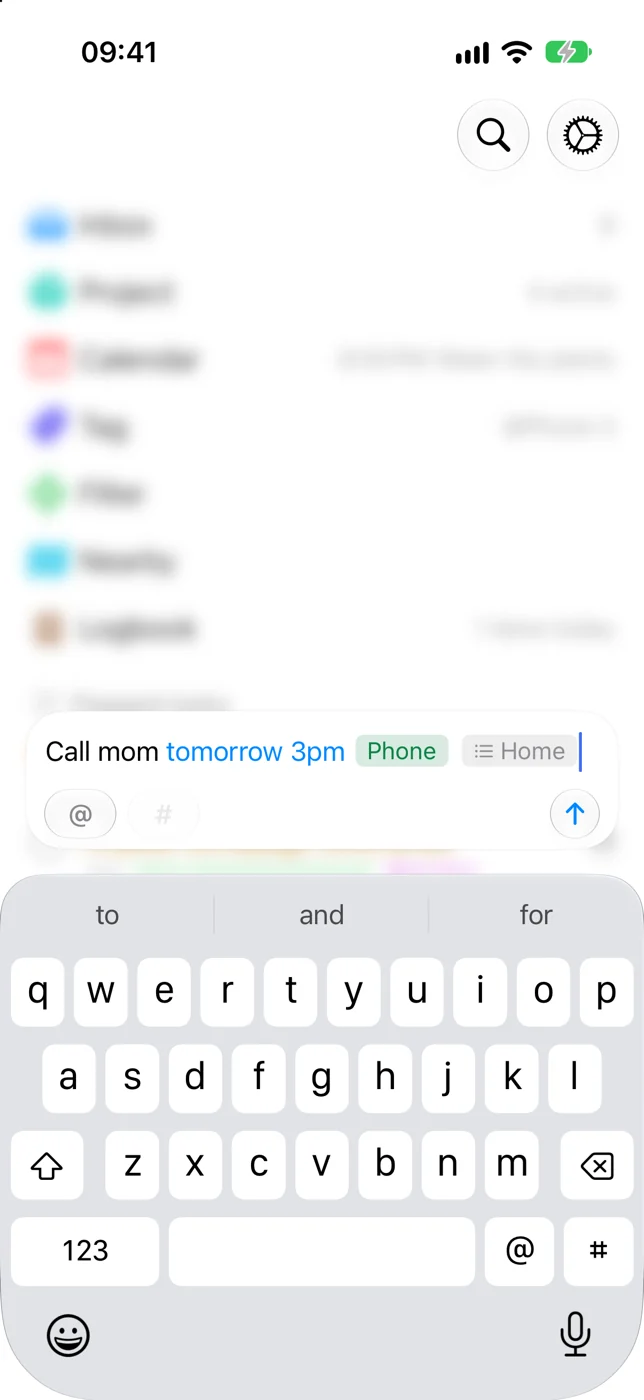
A native GTD system for iPhone, iPad and Mac. Capture in seconds, see your next step, review with confidence.
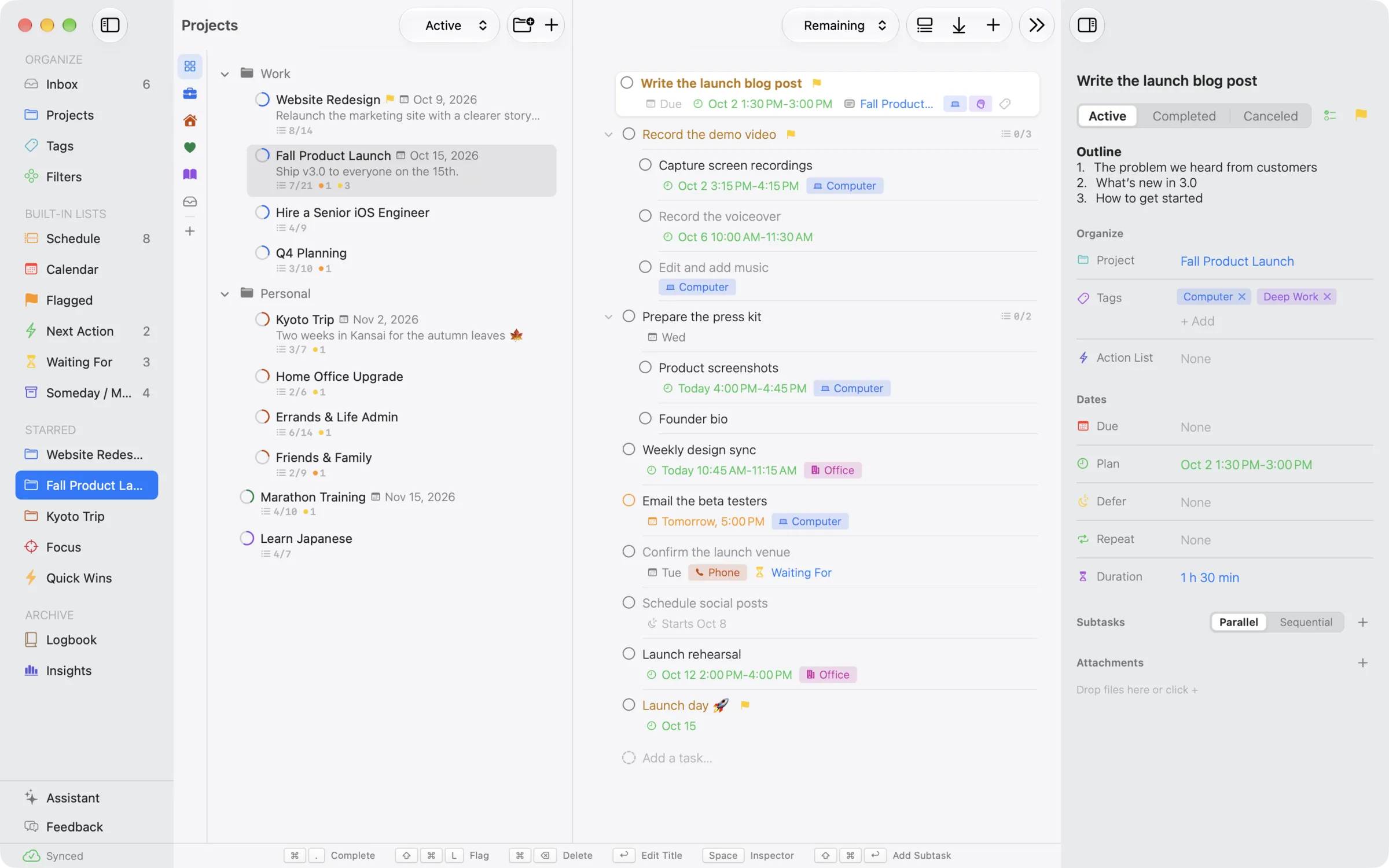
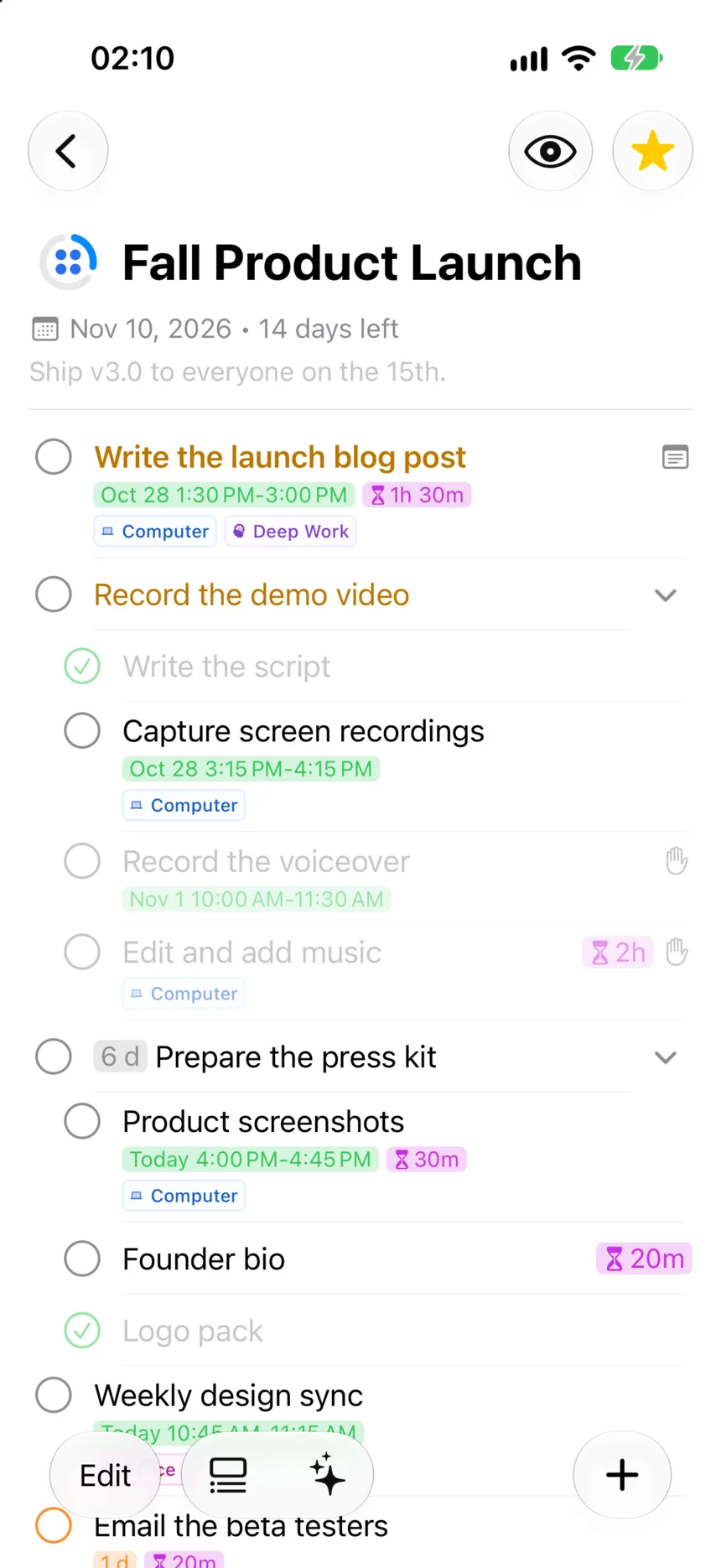
Everything the method needs, built in.
Locus follows GTD from the first stray thought to the finished task, so nothing slips through and nothing nags.
Type a task the way you would say it. Dates, @tags and #projects are picked up as you type, and anything unsorted waits in the Inbox.
Also from the share sheet, widgets, Siri, and ⌃⌥Space on the Mac.
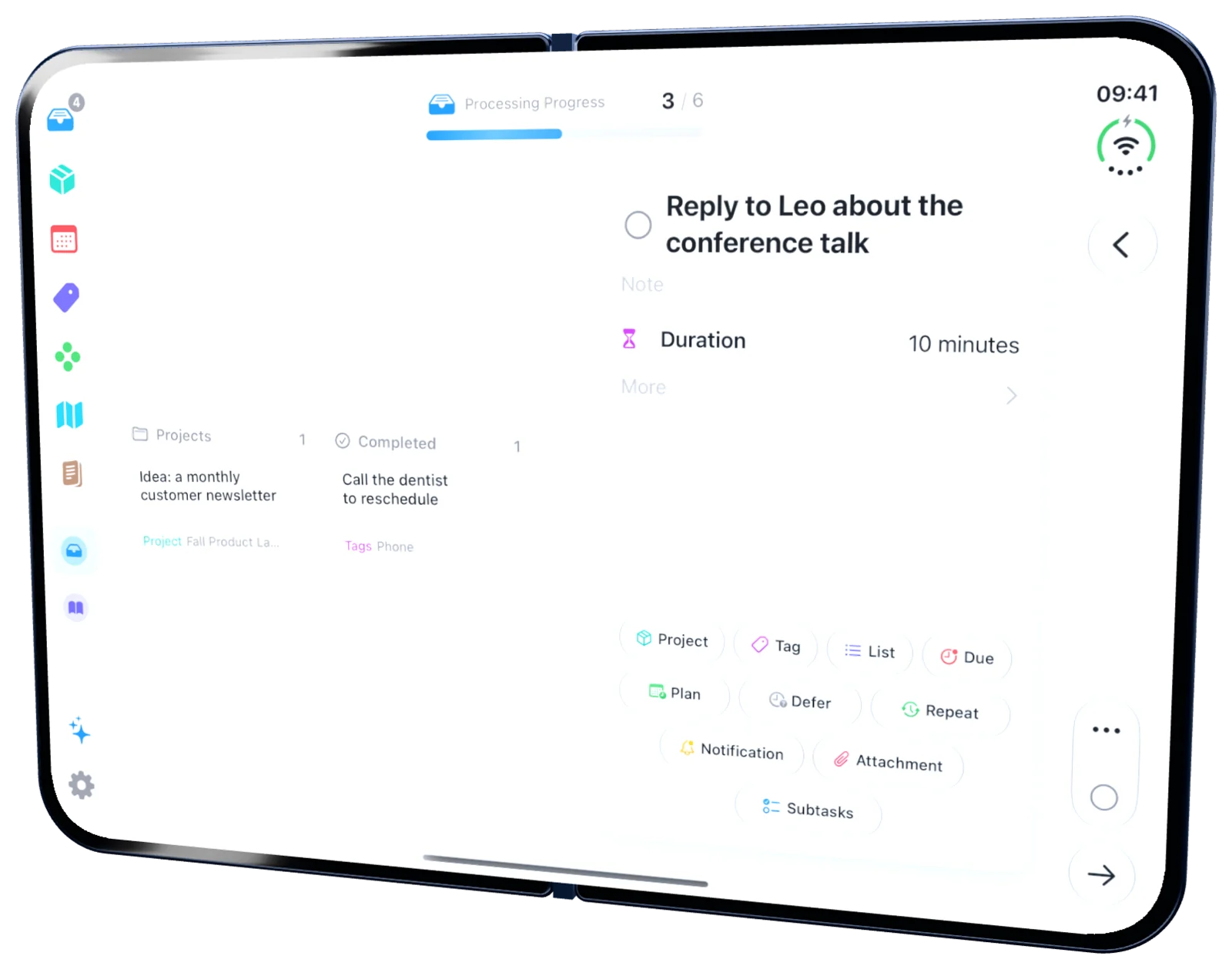
Learn moreProcess Inbox brings items up one at a time. Give each a project, dates and tags right on the card, or skip it for later.
Takes less than two minutes? Do it now and check it off.
Learn more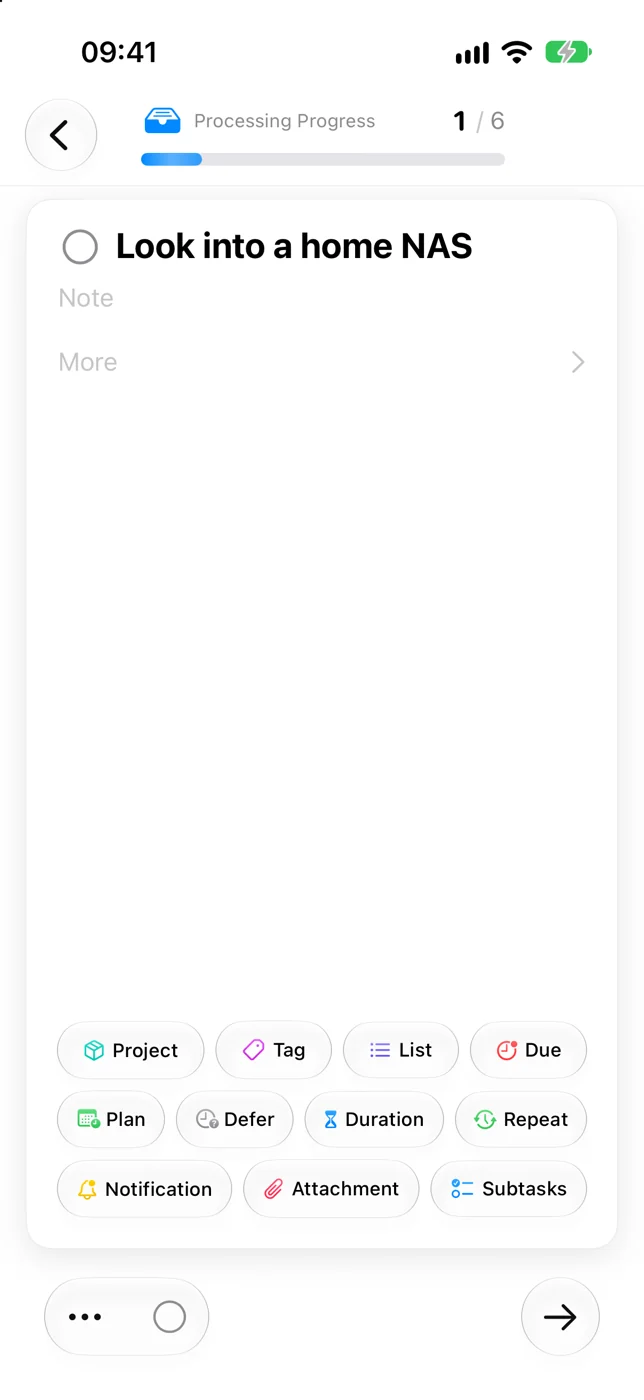
Projects in nested folders, sections inside projects, tags for context and energy, and three action lists: Next Action, Waiting For and Someday / Maybe.
Learn more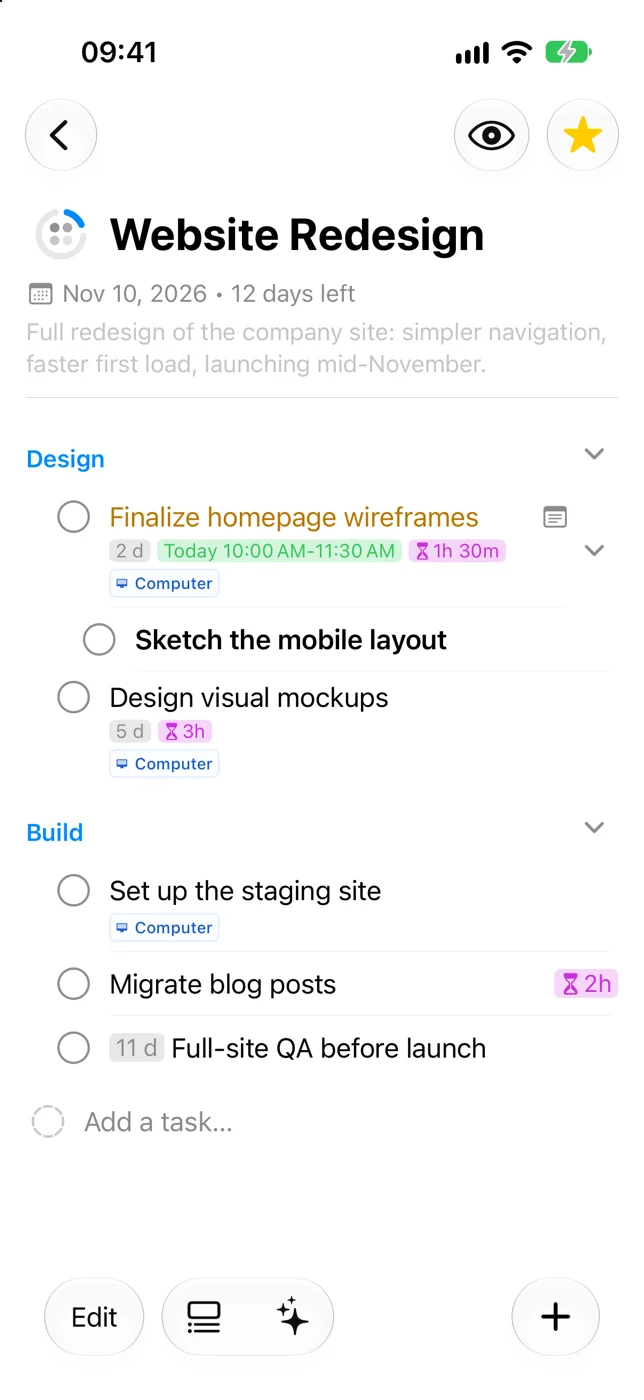
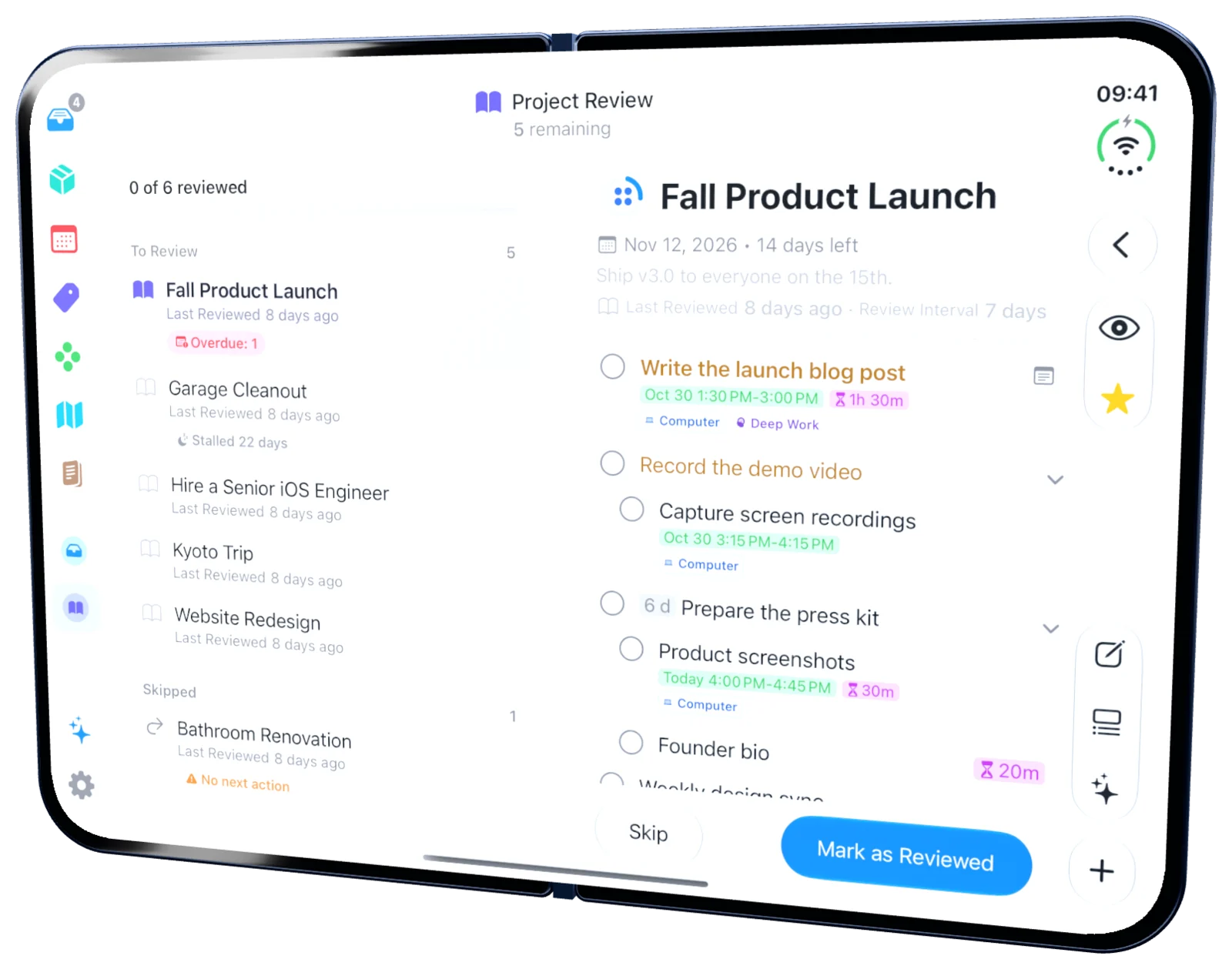
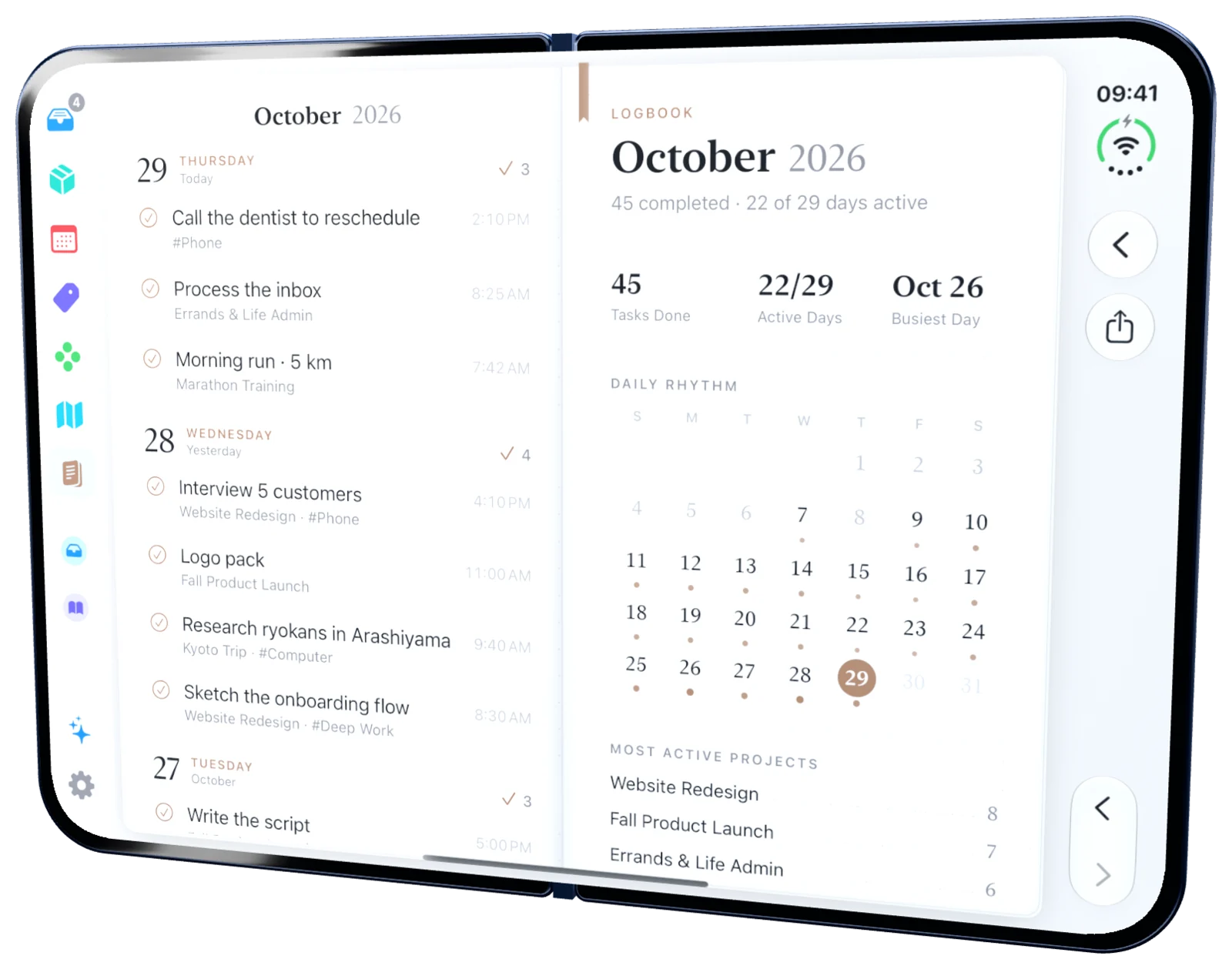
Projects come up for review when they are due. The Logbook keeps everything you finished, ready to export as text, Markdown or a journal page.
Learn more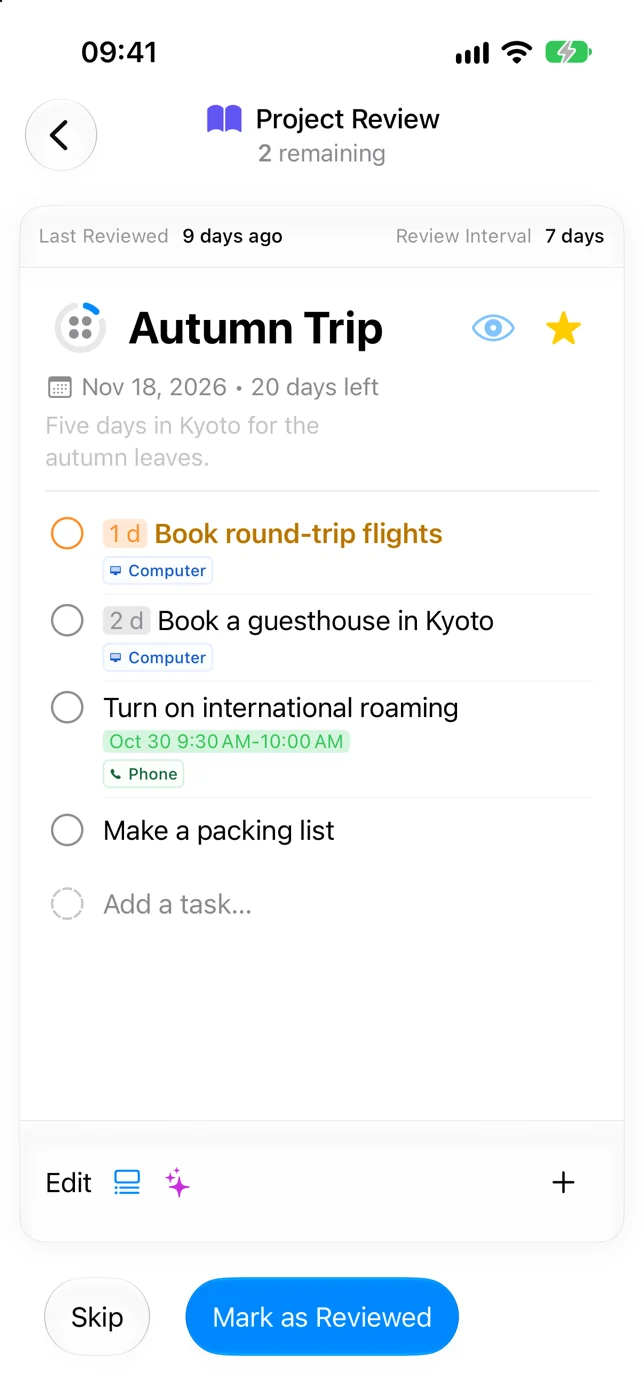
Home sorts what is past due, due today, coming soon and later. Flagged tasks and favorite filters stay one tap away.
Learn more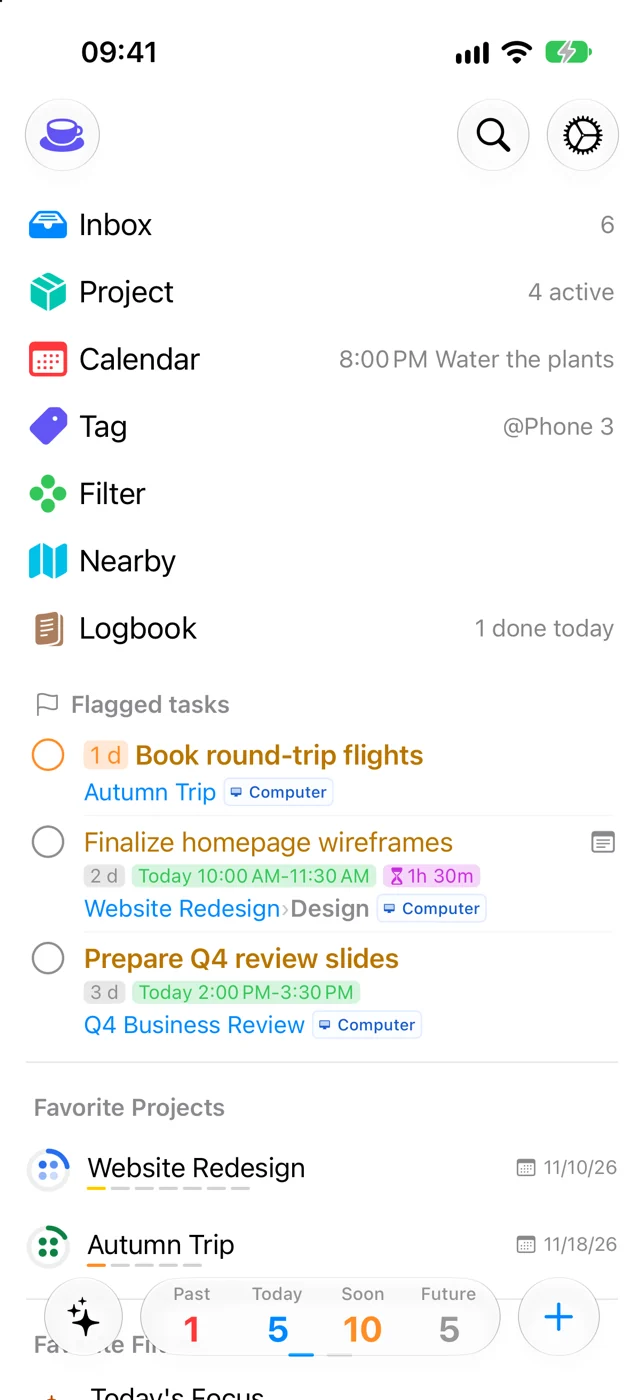
Choose how each project moves. In a sequential project, Locus shows only the task you can do now, and lights up the next one when you finish.
One task at a time, in order. The rest wait their turn.
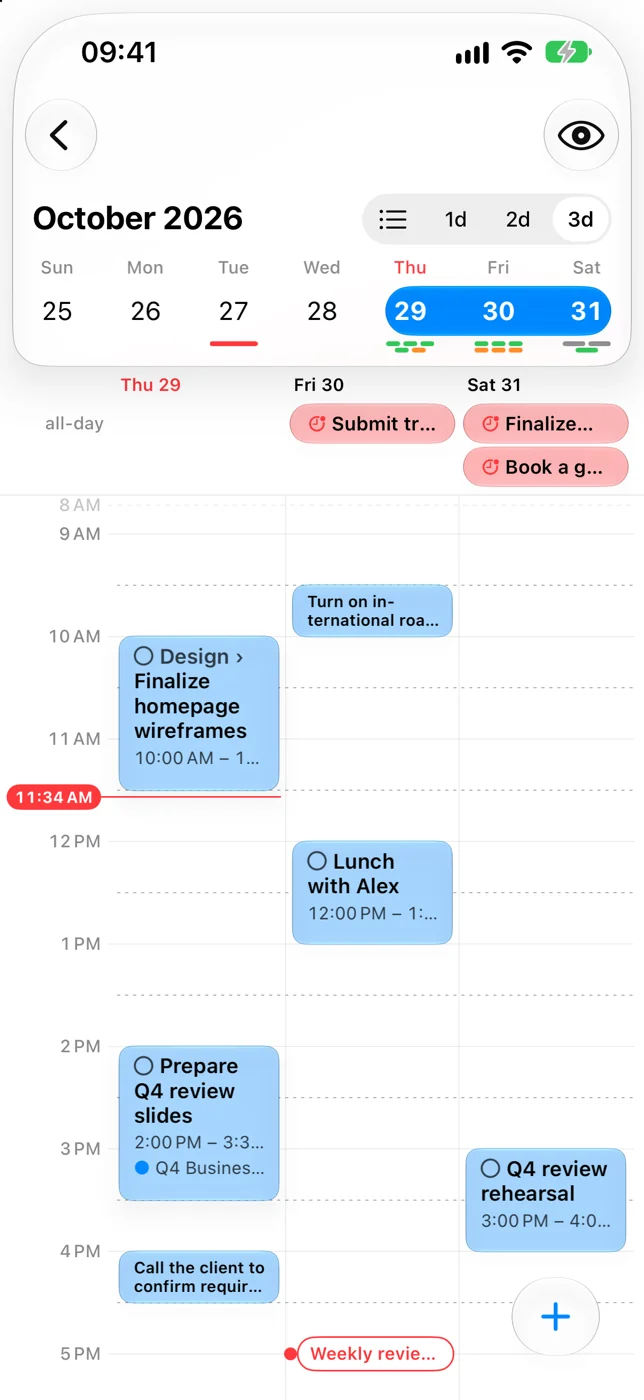
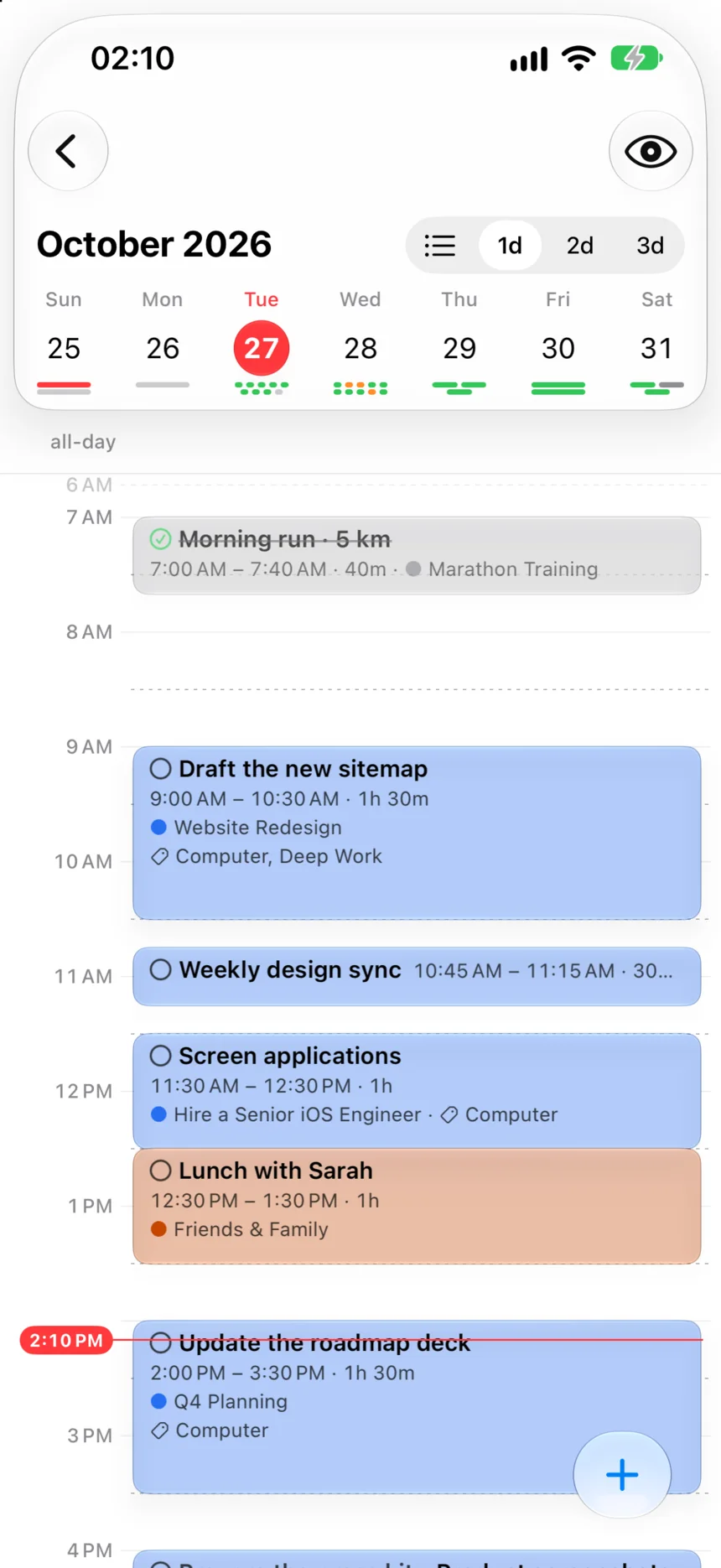
Three kinds of dates, a timeline next to your calendar, and reminders that arrive when they should.
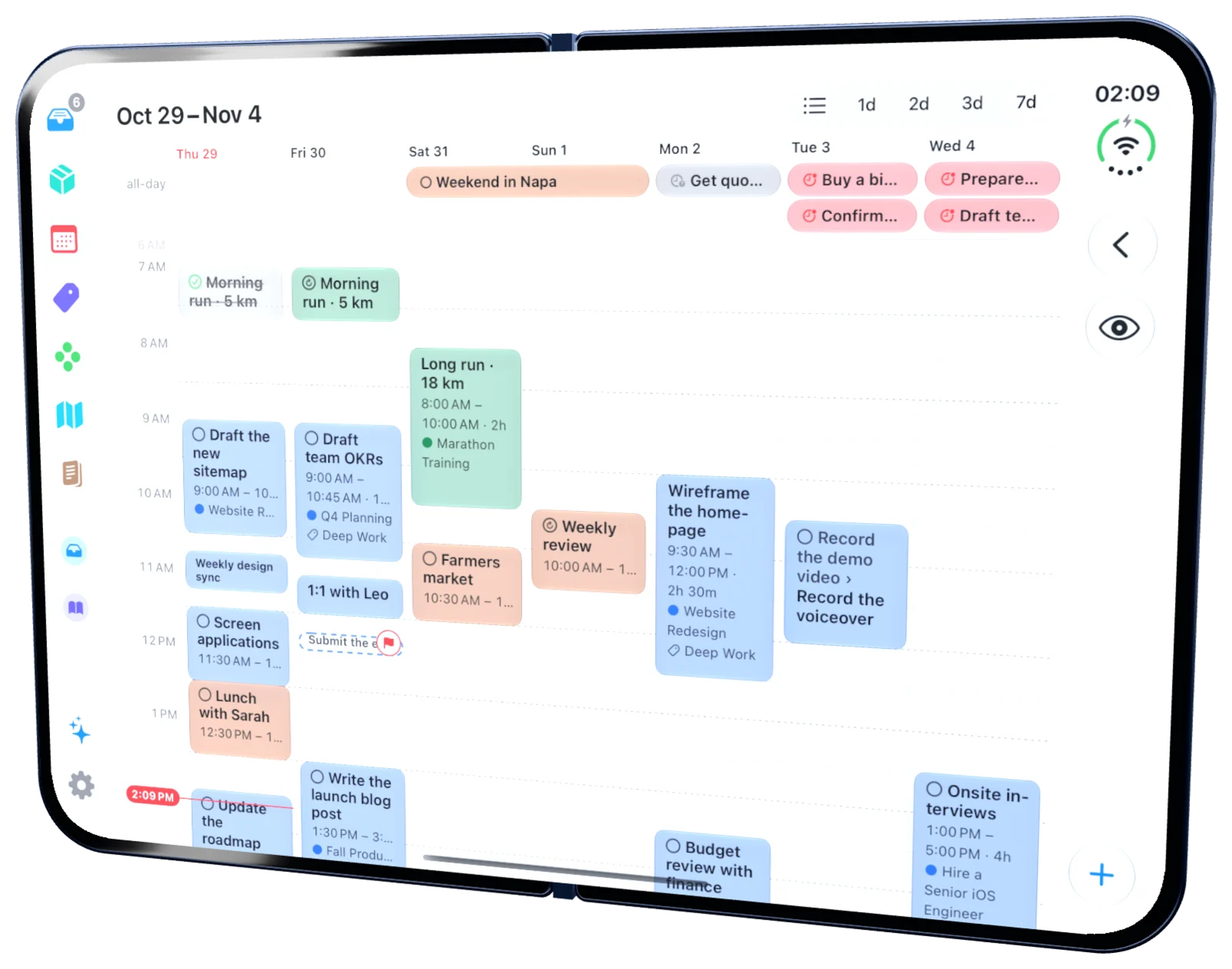
See tasks and Apple Calendar events by the hour. Drag a block to reschedule it, or stretch it to change the time.
Three dates with three different jobs.
Due-time notifications, custom reminders, and real alarms on iOS 26.
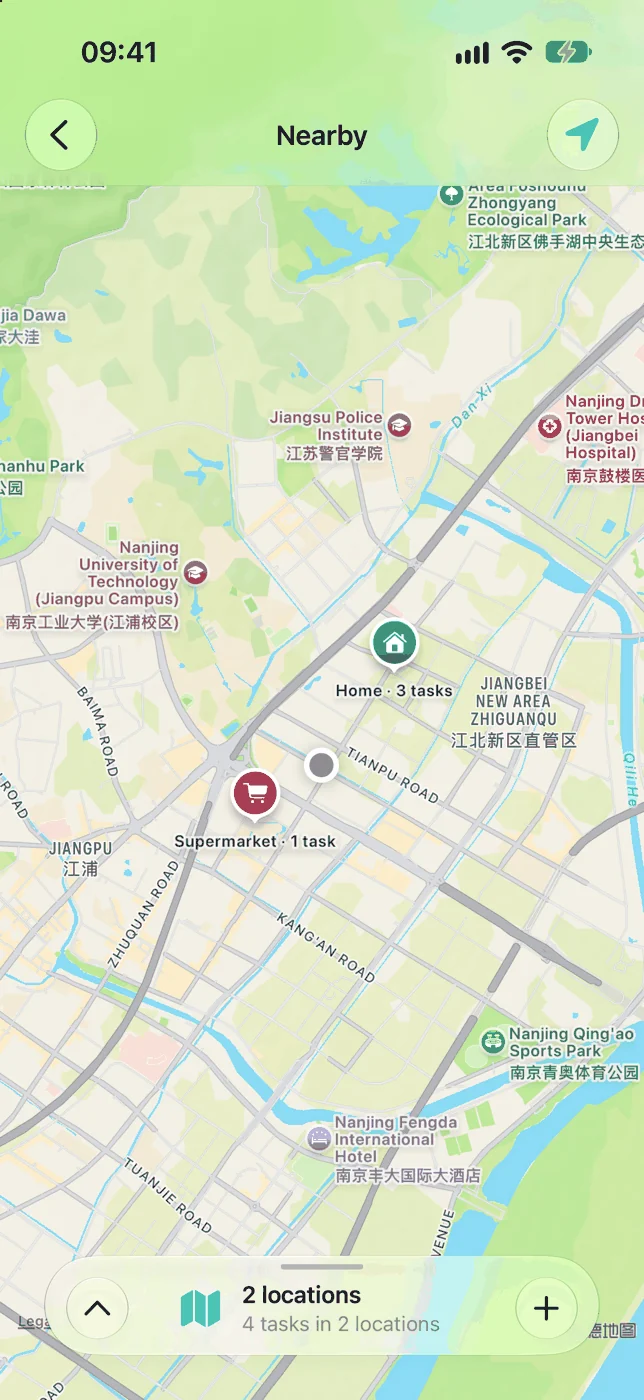
Give a tag a place, get reminded when you arrive, and see what you can do around you.
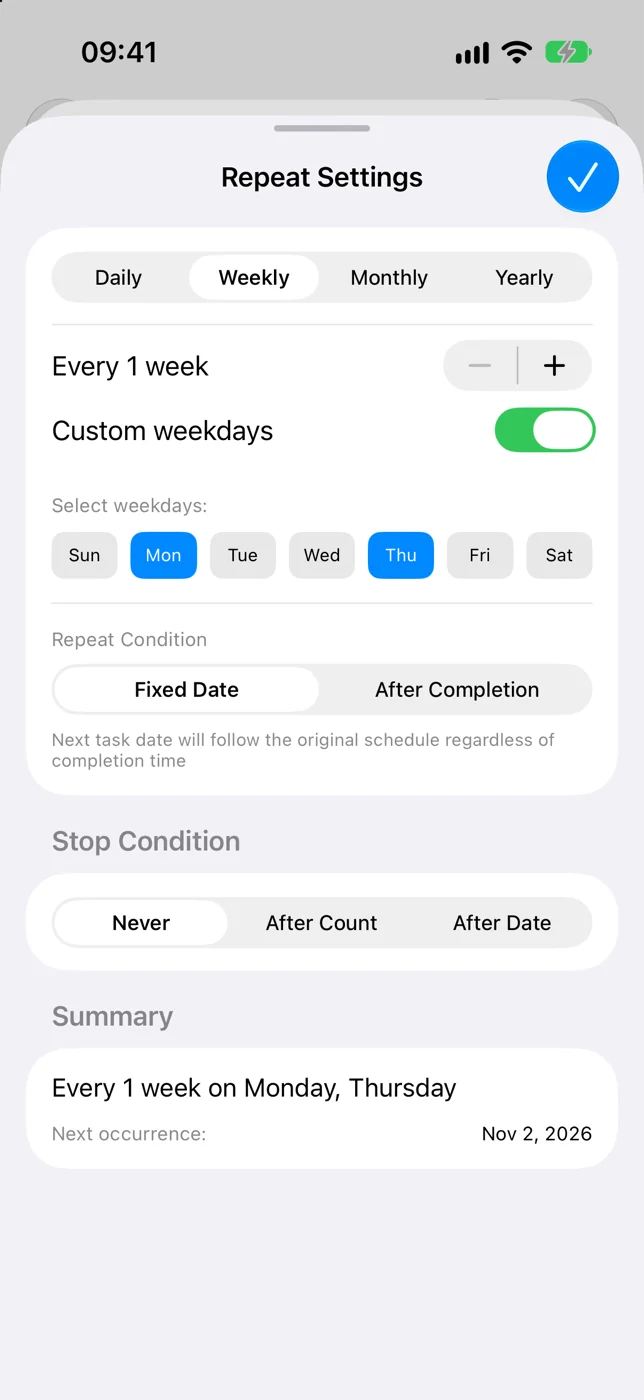
By day, week, month or year. When you edit one, choose this task only or all future ones.
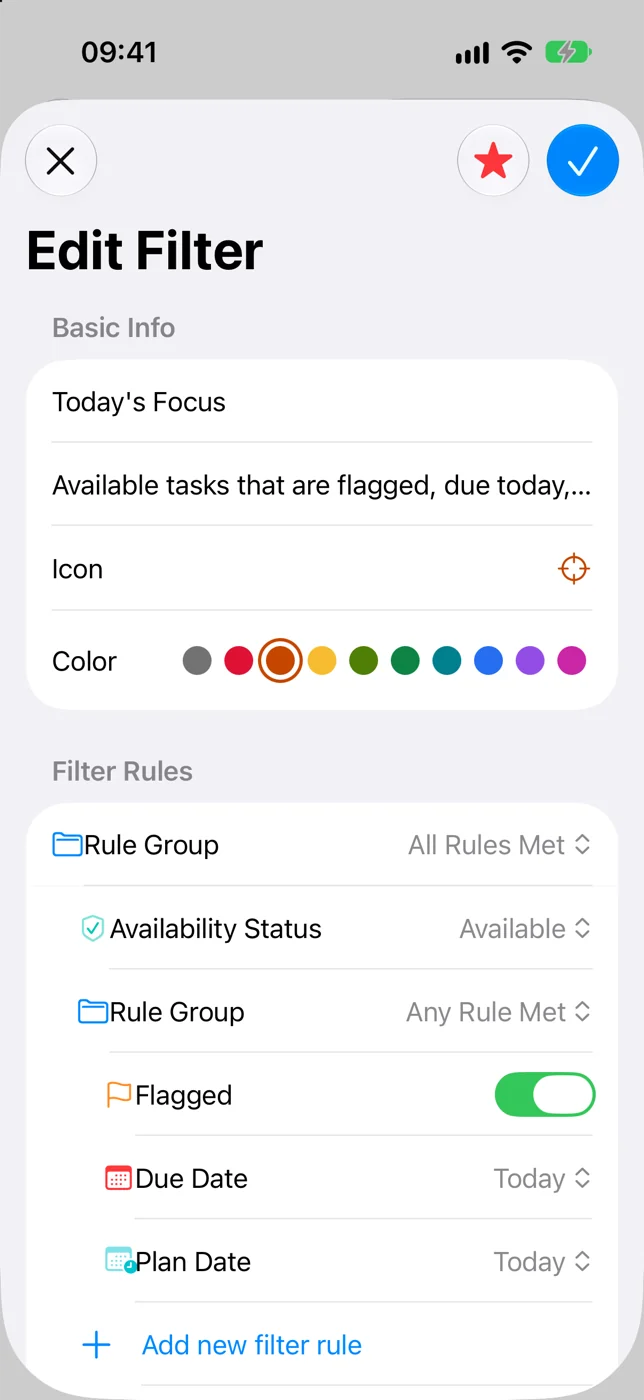
Nest rule groups as deep as you need, then pin the result to Home or a widget.
Home Screen widgets, Siri, Shortcuts, the share sheet and locus:// links, without opening the app.
Sidebar, list and inspector in one window. Capture from any app and keep your hands on the keyboard.
The panel opens over whatever you are doing, and the task lands in the Inbox.
Starts with the current project or tag already filled in.
Every field of the selected task, without leaving the list.
Changed your mind? Step back through your edits.
Also on the Mac: Insights, a built-in MCP server and Things 3 import.
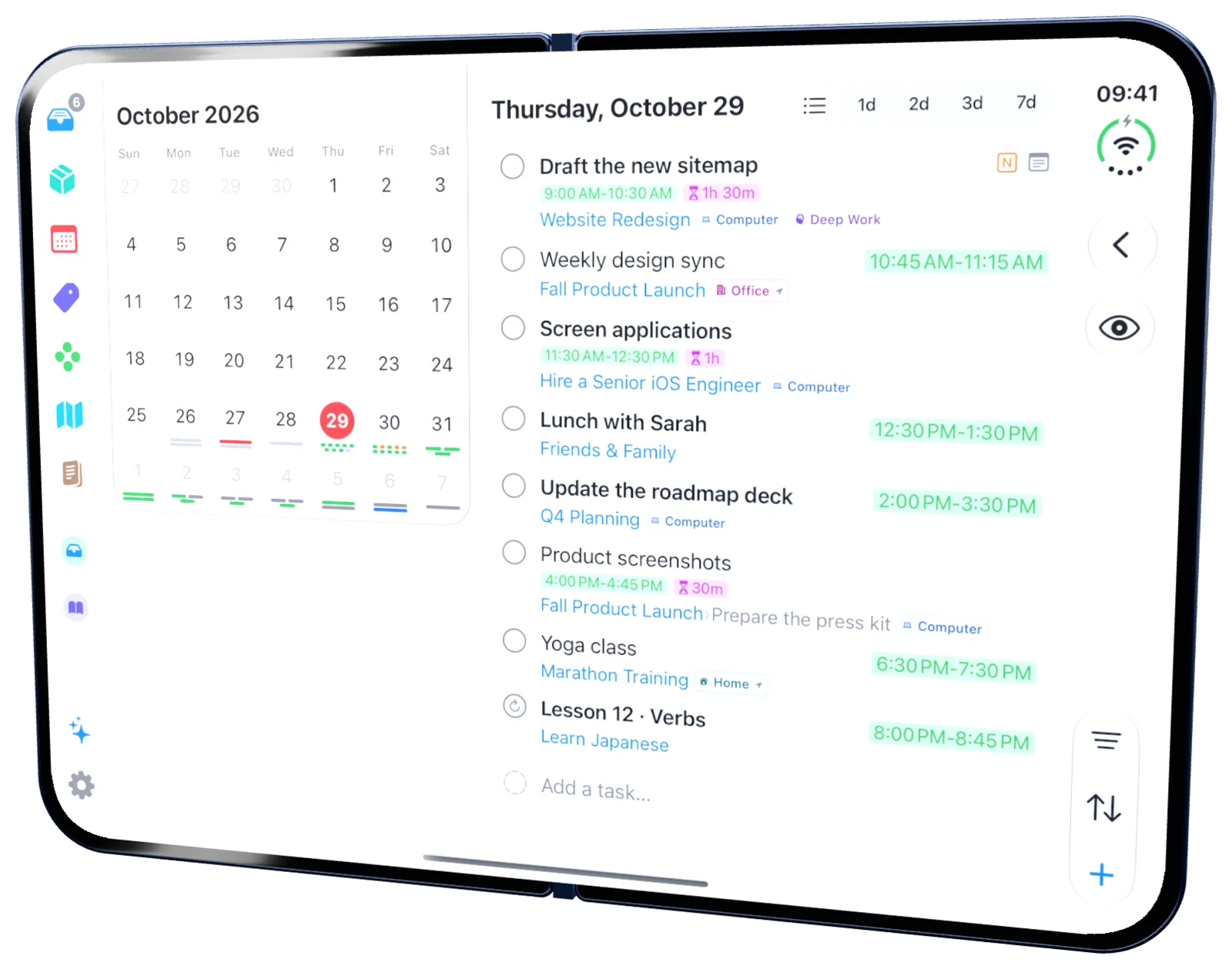
On a foldable iPhone, Locus opens into a sidebar, a list and an inspector, with up to seven days on the timeline. iPad uses the same layout.
Ask Locus AI to find, plan and tidy up in everyday language. It checks with you before deleting anything or changing ten or more items.
Claude, ChatGPT, Cursor and other MCP apps can read and update your tasks. Use the server built into Locus for Mac, or the cloud connector with Pro.
How MCP works in LocusYour tasks live on your devices and sync through your own iCloud. There is nothing to sign up for.
Sync runs through your Apple Account. There is no separate Locus account.
Locus keeps the 14 most recent automatic backups, and you can save one anywhere.
Crash reports never include your task titles or notes.
Locus AI works only when you use it. Your own API key stays on the device where you enter it.
The complete GTD workflow, with no time limit.
Up to 3 active projects, 5 tags and 1 custom filter.
No limits, plus the advanced tools.
Shared by every device on your Apple Account.
Locus is free to download for iPhone and iPad.